

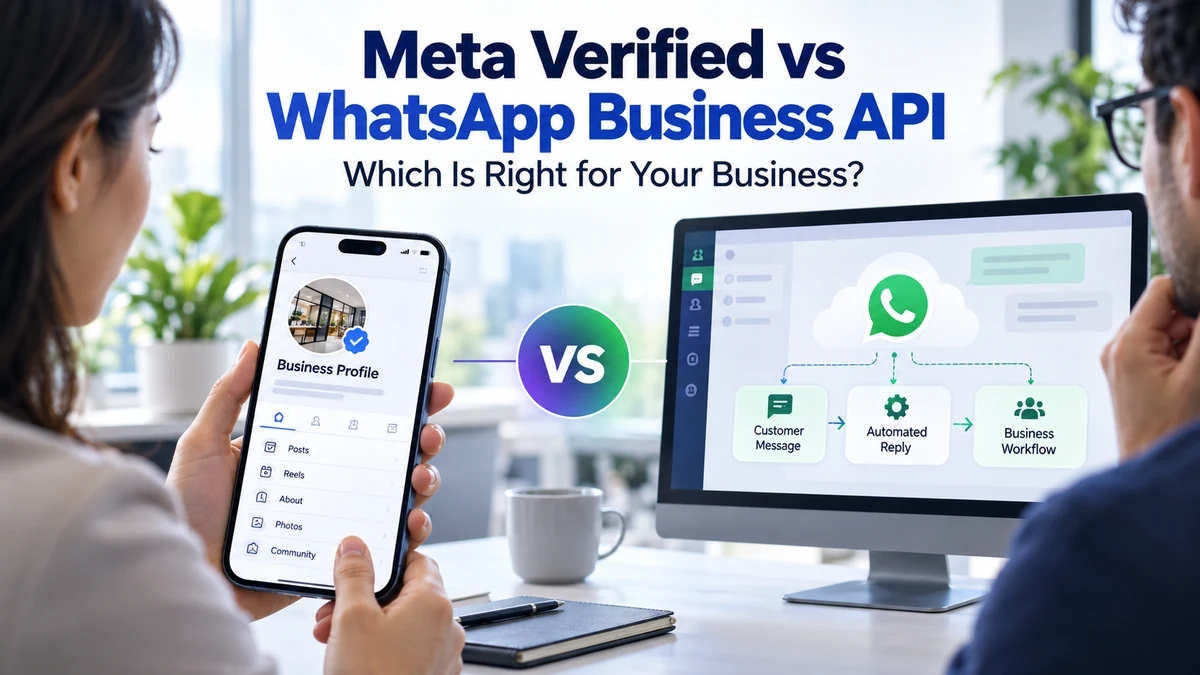
Meta Verified and the WhatsApp Business Platform solve different problems. Verification-related subscription benefits are not the same as API access for integrated messaging, automation, templates and system events. Product availability and eligibility can vary by market and change over time.
Key Takeaways
- Meta Verified and the WhatsApp Business Platform solve different problems. Verification-related subscription benefits are not the same as API acc
- Start with the requirement: credibility and profile benefits for a small business, or programmatic messaging and shared operational workflows for
- Compare eligibility, verification criteria, messaging features, team access, API/webhook support, template controls, pricing, account ownership a
Understand the difference between Meta Verified subscription features and the WhatsApp Business Platform API so you choose the right tool for the job. The most useful decision is the one that fits the actual purpose, the evidence available and the experience expected by the person receiving the communication.
What this guide covers
Meta Verified and the WhatsApp Business Platform solve different problems. Verification-related subscription benefits are not the same as API access for integrated messaging, automation, templates and system events. Product availability and eligibility can vary by market and change over time. A clear scope prevents teams from confusing a record count, an API feature or a marketing label with proof that a campaign is suitable. Write down the intended outcome and the limits of the information before selecting a tool or provider.
Keep the business objective specific. Identify the owner of the process, the people affected, the information required and the action that should happen next. This makes it easier to explain the workflow to colleagues and to detect when a proposed use goes beyond the original purpose.
How to plan the right approach
Start with the requirement: credibility and profile benefits for a small business, or programmatic messaging and shared operational workflows for a larger team. Check the exact product and account type shown in Meta’s current documentation and onboarding flow.
A local shop that mainly needs profile credibility may not need an API integration; a multi-agent support team that needs CRM routing and automated order notifications may need the Business Platform. Document the decisions that matter: who approved the activity, which source or system is involved, what information is used and how a person can ask a question or change their preference.
What to verify before choosing or launching
Compare eligibility, verification criteria, messaging features, team access, API/webhook support, template controls, pricing, account ownership and support. Do not assume that a verification badge grants API permissions.
- Confirm ownership and the person responsible for approving the work.
- Check the source, permissions, technical requirements and current terms that apply.
- Test the complete journey, including failure, correction and escalation paths.
- Keep a record of decisions, changes, incidents and customer preferences.
Platform policy, permission and customer trust
Do not purchase a badge or provider package based on a promise of automatic API access. Verify current product terms directly with Meta.
For platform-specific requirements, consult Meta’s WhatsApp Business Platform documentation and Business Messaging Policy. Check the live documentation before onboarding or changing a workflow.
Capture permission in a way that tells people which business will contact them and what kinds of messages they should expect. Honour opt-outs, keep frequency reasonable and monitor quality signals. An API connection or provider relationship does not remove the business’s responsibility for its messages.
Measure outcomes and improve
Measure the business outcome each product is intended to support: trust and profile engagement versus operational messaging, response time and workflow efficiency.
Set a baseline before launch and review results over a defined period. Compare like with like, segment the data where appropriate and investigate unexpected changes before drawing conclusions. A metric should help the team make a better decision, not simply make a report look impressive.
Common mistakes to avoid
Do not purchase a badge or provider package based on a promise of automatic API access. Verify current product terms directly with Meta. Another frequent mistake is measuring activity without checking whether it produced a useful result. Review the customer experience, operational workload and any negative feedback alongside the headline metric.
Keep the process documented and revisit it when the product, provider, rules or audience changes. If an important fact cannot be verified, label it as unconfirmed and resolve it before publication or campaign launch.
Frequently Asked Questions
What should I check first?
Start with the purpose, source, permissions, scope and evidence. Then test the complete workflow before scaling.
Does a large record or message count guarantee results?
No. Volume does not guarantee relevance, delivery, response or conversion. Measure the outcome that matters to the business.
Can I use the same process for every audience?
Usually not. Requirements vary by audience, channel, geography and purpose. Segment carefully and review the applicable rules.
How often should this process be reviewed?
Review it whenever the provider, platform, law, data source or campaign purpose changes, and on a regular schedule set by the business.
Official references
For platform-specific requirements, consult Meta’s WhatsApp Business Platform documentation and Business Messaging Policy. Check the live documentation before onboarding or changing a workflow.
Explore related Astral Promotion services
Conclusion
Understand the difference between Meta Verified subscription features and the WhatsApp Business Platform API so you choose the right tool for the job. Use a documented, evidence-led approach, protect the people affected by the workflow and review the results before expanding it. For a service discussion, visit the relevant Astral Promotion service page or contact the team with your requirements.

Comments and discussion
Be the first to join the discussion. Comments are reviewed before appearing publicly.